





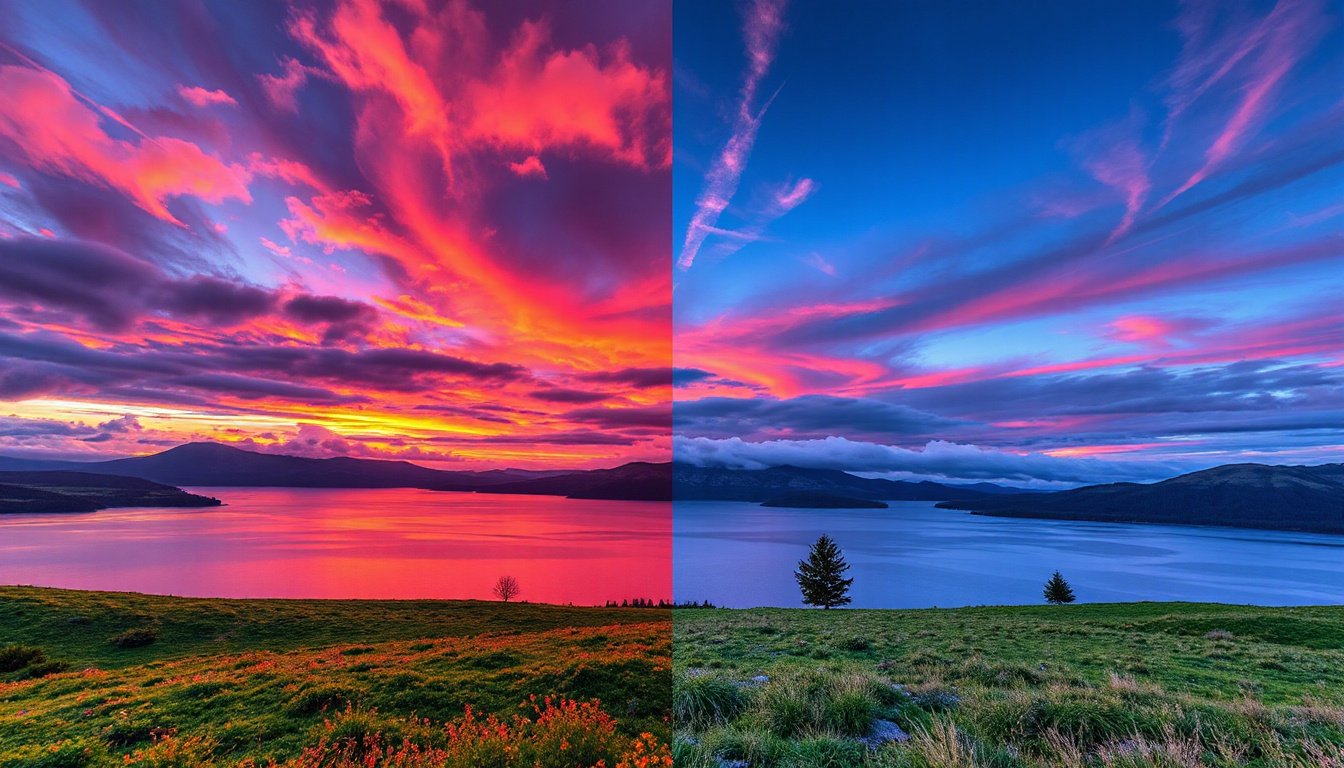
High-Dynamic Range (HDR) technology has transformed how we experience images and videos, offering richer colors, brighter highlights, and deeper shadows that bring content to life. But understanding HDR compatibility can be complex given the various formats, tiers, and technical considerations involved. This comprehensive guide unpacks the essentials of HDR technology, compatibility factors, and how it impacts your viewing or gaming experience.
What is HDR and Why Does It Matter?
HDR enhances the dynamic range of images and videos—meaning the difference between the darkest blacks and the brightest whites on a display is greatly expanded. This results in visuals with more vivid colors, heightened contrast, and realistic lighting effects that standard dynamic range (SDR) struggles to reproduce.
While SDR displays typically max out around 100 nits of brightness, HDR content and displays can handle anywhere from 1,000 up to 10,000 nits, significantly increasing peak brightness levels. HDR also commonly works in tandem with Wide Color Gamut (WCG), allowing for a broader spectrum of colors, making images appear more lifelike.
Understanding HDR Formats: HDR10, HDR10+, Dolby Vision, and More
There are several HDR formats available today, each with unique features and varying levels of compatibility:
-
HDR10: The baseline HDR format used in most HDR content and devices. It supports 10-bit color depth and static metadata, meaning one set of brightness/contrast instructions is used throughout the video. HDR10 is royalty-free and widely supported, making it the most accessible HDR standard.
-
HDR10+: An improved version of HDR10 that uses dynamic metadata to adjust brightness and contrast scene-by-scene or frame-by-frame for enhanced picture precision. It maintains 10-bit color depth and offers a more refined HDR experience but requires compatible devices and support, which are growing but not universal.
-
Dolby Vision: The most advanced and premium HDR format, featuring up to 12-bit color depth and dynamic metadata. Dolby Vision delivers superior luminance control and color accuracy, adjusting settings in real-time for optimal image quality. However, it requires licensing fees and specific hardware support.
-
HLG (Hybrid Log Gamma): Designed primarily for live broadcast and real-time scenarios, HLG uses static metadata and is backward compatible with SDR displays. It is commonly used in live TV and surveillance systems.
| Feature | HDR10 | HDR10+ | Dolby Vision | HLG |
|---|---|---|---|---|
| Metadata | Static | Dynamic | Dynamic | Static |
| Color Depth | 10-bit | 10-bit | Up to 12-bit | 10-bit |
| Peak Brightness | Up to 10,000 nits | Up to 10,000 nits | Up to 10,000 nits | Varies by display |
| Licensing | Free | Free | Licensed | Free |
| Best Use Cases | Streaming, Gaming | Enhanced streaming | Premium home theater | Live broadcast, surveillance |

HDR Tiers and Certification: What Do They Mean?
To help consumers and manufacturers measure HDR quality, the Video Electronics Standards Association (VESA) introduced DisplayHDR tiers which classify HDR performance based on key attributes such as luminance, color gamut coverage, and bit depth:
-
DisplayHDR 400 (Entry-level): Minimum 400 nits brightness, 8-bit color depth, 95% sRGB color coverage, suitable for basic HDR experiences.
-
DisplayHDR 500 & 600: Higher brightness (600 nits for 600 tier), 10-bit color depth, wider color gamut (90%+ DCI-P3), and local dimming support.
-
DisplayHDR 1000: Significant improvements with very high peak brightness, low black levels, and better contrast, ideal for enjoying HDR content fully.
-
DisplayHDR 1400: The highest certification offering the deepest blacks, widest color gamut (99% BT.709 and 95% DCI-P3), and very high peak brightness.
There are also DisplayHDR True Black certifications at 400, 500, and 600 nits, specifically tailored for OLED and self-emissive displays, focusing on brightness without local dimming metrics.
How Does HDR Compatibility Affect Your Viewing Experience?
HDR compatibility depends on an interplay between the content, the source device, and the display:
- Content: Must be HDR-encoded and compatible with the chosen HDR format (HDR10, Dolby Vision, etc.).
- Source Device: Streaming boxes, Blu-ray players, gaming consoles, or PCs need to output HDR signals correctly.
- Display: TVs or monitors must support the HDR format and meet minimum brightness and color requirements.
If any link in the chain is non-compliant, HDR visuals may appear dull, washed out, or fail to display altogether.
Is HDR Good for Gaming?
Gaming stands to benefit significantly from HDR’s enhanced visuals, providing more immersive and visually rich environments. However, historically, HDR adoption in PC gaming lagged due to:
-
Static Metadata Limitations: Many PC HDR implementations relied on static metadata (HDR10), leading to inconsistent image quality across different displays and games.
-
Monitor Technology Gaps: Many gaming monitors lacked the required brightness and color gamut, or used LED technology less suited for HDR.
Newer display innovations such as QD-OLED aim to bridge this gap by combining OLED’s superior contrast with quantum dot technology’s enhanced color and brightness. This paves the way for better HDR performance in gaming setups, making HDR more viable and affordable.
HDR vs. OLED: Complimentary Technologies
It’s important not to confuse HDR with OLED, as they address different aspects of image quality:
-
HDR is a video signal technology that describes how colors and brightness are encoded and displayed.
-
OLED is a display technology where each pixel emits its own light, enabling perfect blacks and superior contrast ratios.
In fact, OLED paired with HDR produces some of the best picture quality available, especially in dark scenes, while LED displays with HDR perform better in bright environments due to their higher peak brightness capabilities.
Common HDR Compatibility Issues and Solutions
-
Content Not Displaying in HDR:
- Verify HDR content is truly HDR encoded.
- Enable HDR mode/settings on both display and source device.
- Use compatible cables (like HDMI 2.1 or DisplayPort 1.3 and above).
-
HDR Content Appears Dim or Washed Out:
- Ensure display meets minimum brightness standards.
- Confirm dynamic metadata support if using HDR10+ or Dolby Vision.
- Adjust ambient lighting as HDR is best viewed in darker environments.
-
Display Fails to Render Full HDR Benefits:
- Check for manufacturer certifications like DisplayHDR tiers.
- Upgrade to devices supporting dynamic metadata for better scene adaptation.
Conclusion
Understanding HDR compatibility demands appreciating the relationships between HDR formats, display capabilities, and content sources. HDR10 remains the most widespread format for accessibility, while HDR10+ and Dolby Vision offer dynamic improvements for superior picture quality. DisplayHDR tiers provide valuable guidance on expected HDR performance.
Whether upgrading your home theater, gaming setup, or surveillance system, knowing which HDR standards and technologies your devices support ensures you unlock the full "magic" of high dynamic range imaging—vivid, lifelike visuals that truly stand out.
By mastering HDR compatibility, you gain the power to enjoy your media as creators intended—with dazzling vibrancy and captivating realism.